
New and exciting features have been released in iSolved. We highlight each of these new features and how to use them below.
Feature #1: Reboarding
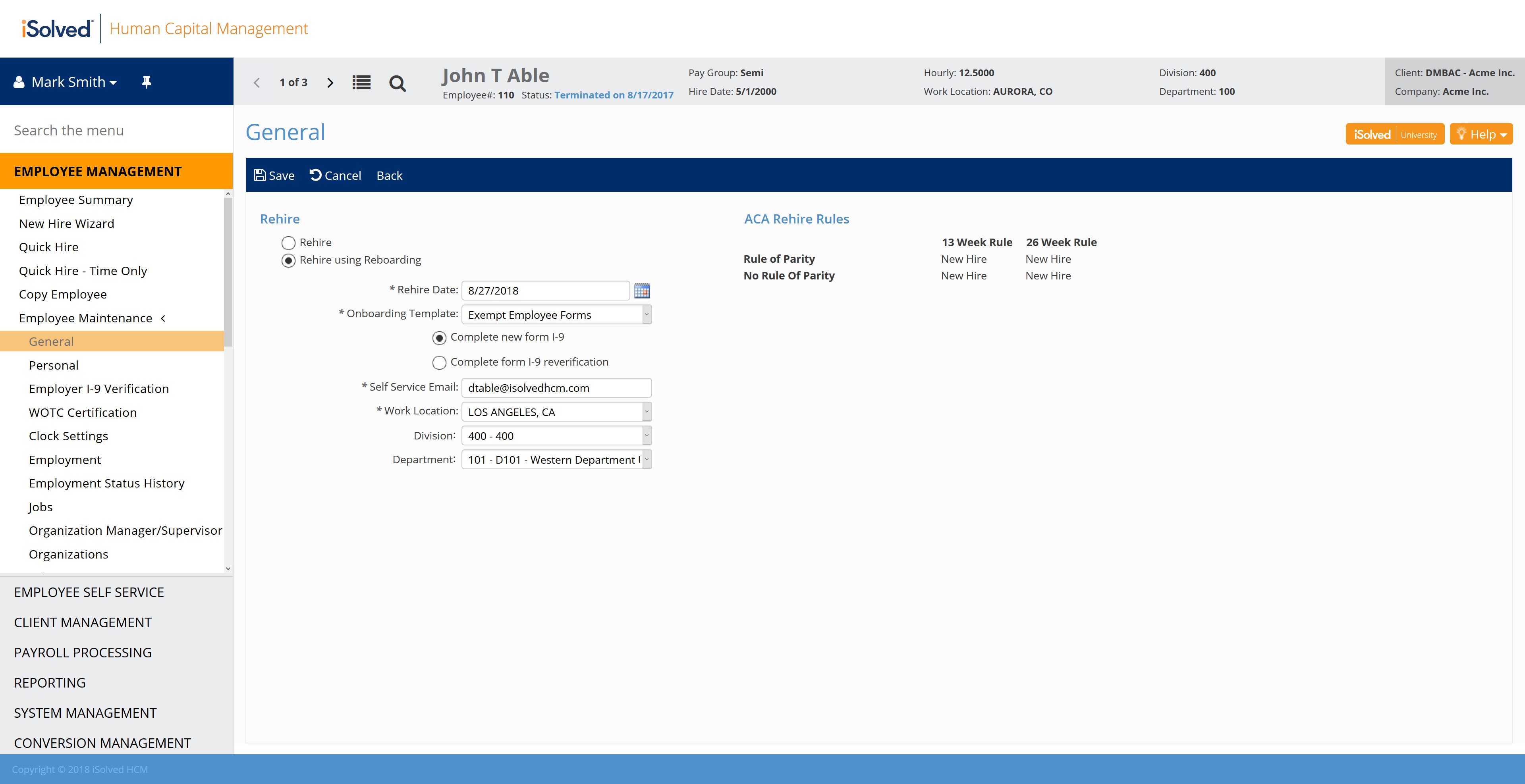
Rehired employees can use the reboarding feature to go through the self-onboarding process. This is an exciting feature because the tedious administrative processes involved in hiring will be expedited for previous employees of your company.
Here are a few things to know before using the reboarding feature:
- Employees must be terminated in iSolved and eligible for rehire to be offered the reboarding option.
- You will continue using the New Hire/Quick Hire Wizards to bring new employees into the system once they’ve completed onboarding, and the Rehire Wizard to bring rehired employees into the system once they’ve completed reboarding.
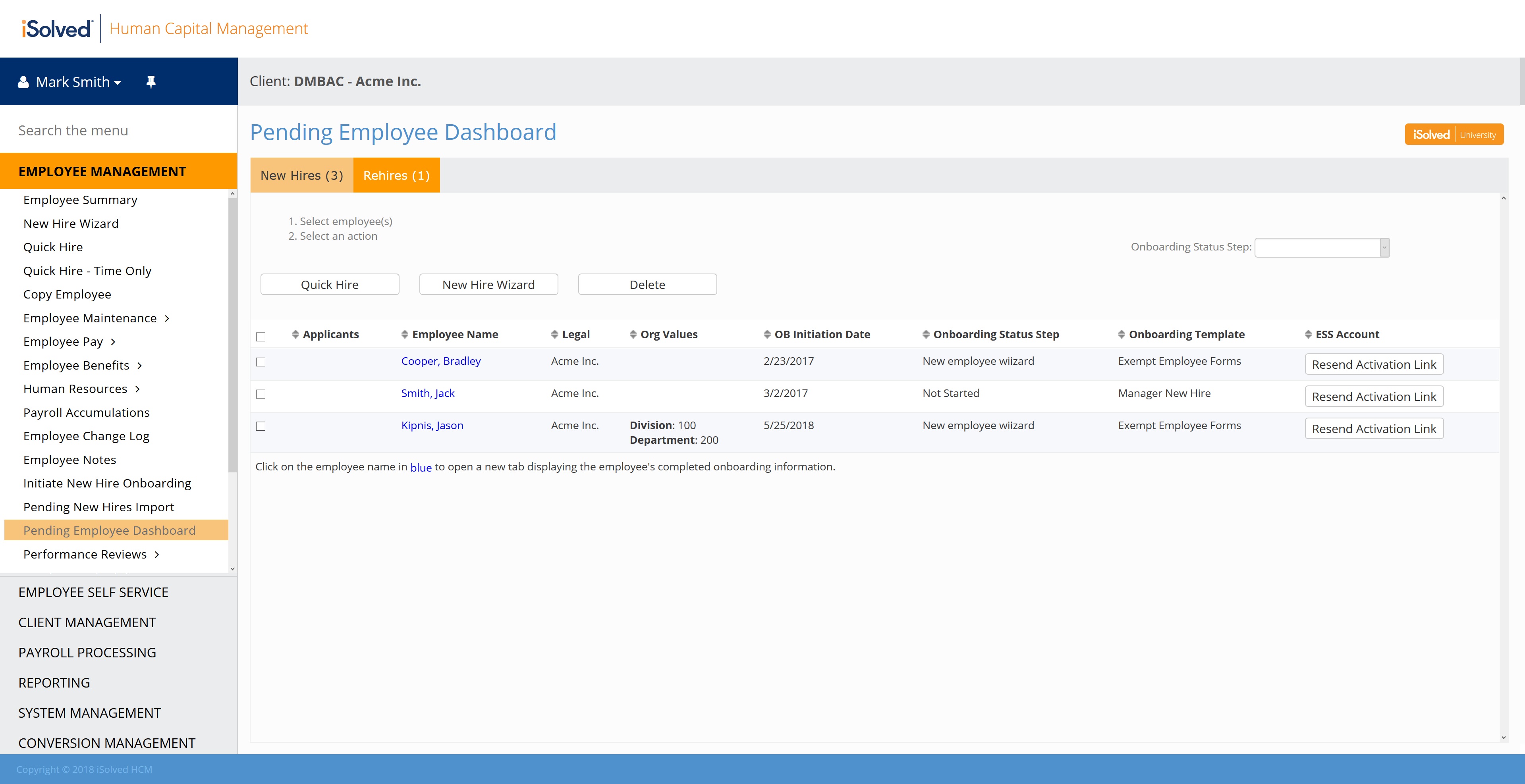
- Changes have been made to the Pending New Hires Dashboard to accommodate this feature. The dashboard has a new column titled ESS Account. It includes a link to quickly resend the account registration link to employees who didn’t register in time so they can log in and complete the onboarding/reboarding process.
- New employees who are in the onboarding process will appear on a separate tab from those rehires who are in the reboarding process.
You can access the reboarding option by clicking on Employee Maintenance in the left-hand navigation and then selecting General, as seen below.
Please make note that the iSolved Pending Employee Dashboard displayed below is where you will manage onboarding processes for both new hires and rehires.
Feature #2: Override address
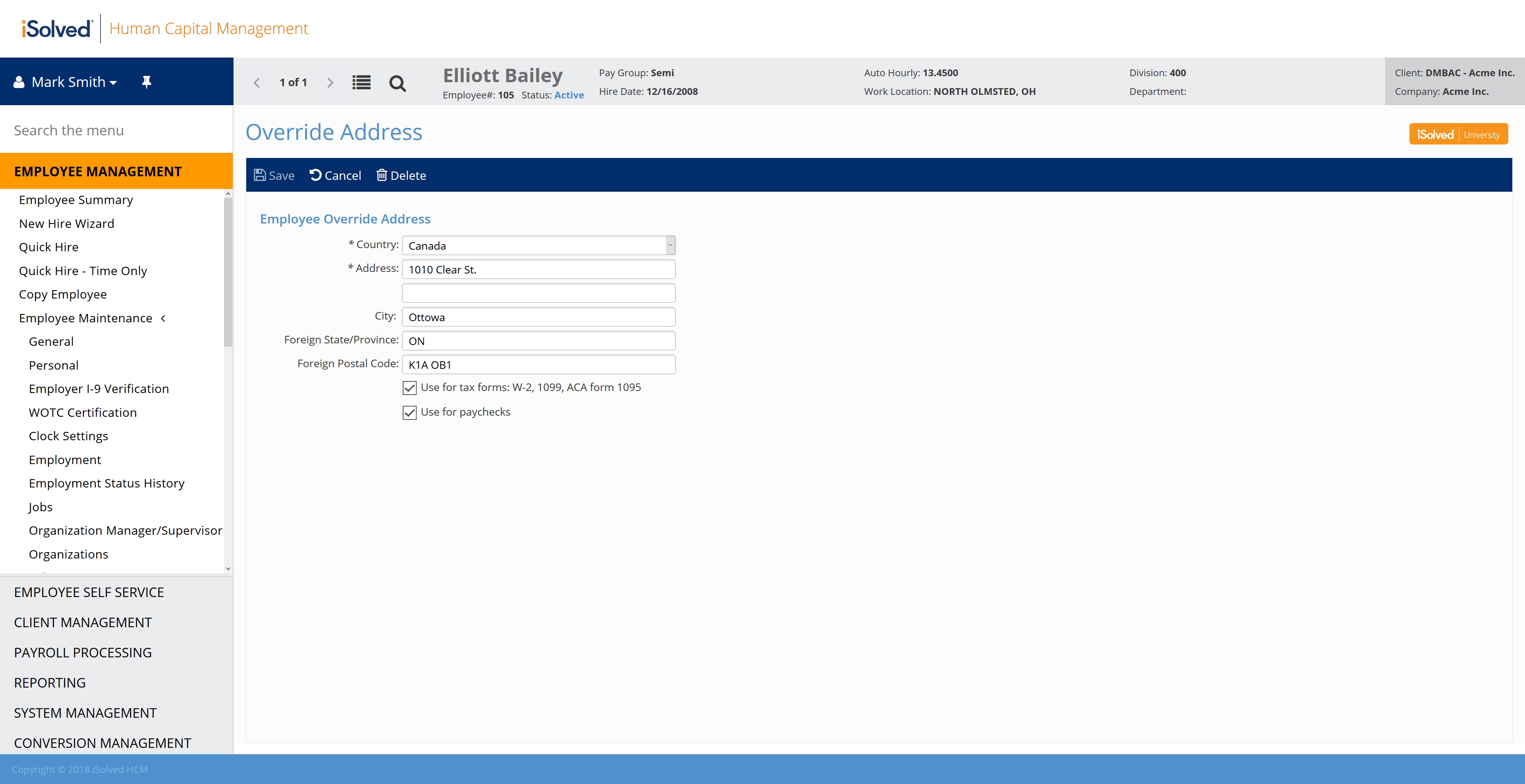
You can now specify international addresses or military APO boxes as the employee override address. This feature is useful for clients whose employees are temporarily 1) deployed overseas in the military or 2) working in the U.S. but need their W-2s or check stubs mailed to an international address.
Here are a few things to know before using the override address feature:
- Each employee will still need a primary address in the U.S. since all payroll tax calculations require a residential geocode within the U.S.
- On the Employee General screen, the override address now will appear below the employee’s regular address if it is being used for paychecks or W-2s. This will make it much easier to identify when an employee has an override address in use.
- Employee profile reports also have been updated to include the override address.
- The Override Address, as shown below, has also been added to the Copy Employee Wizard, so it will be copied if you’re moving an employee from one legal company to another.
Feature #3: Frequency option for direct deposit accounts
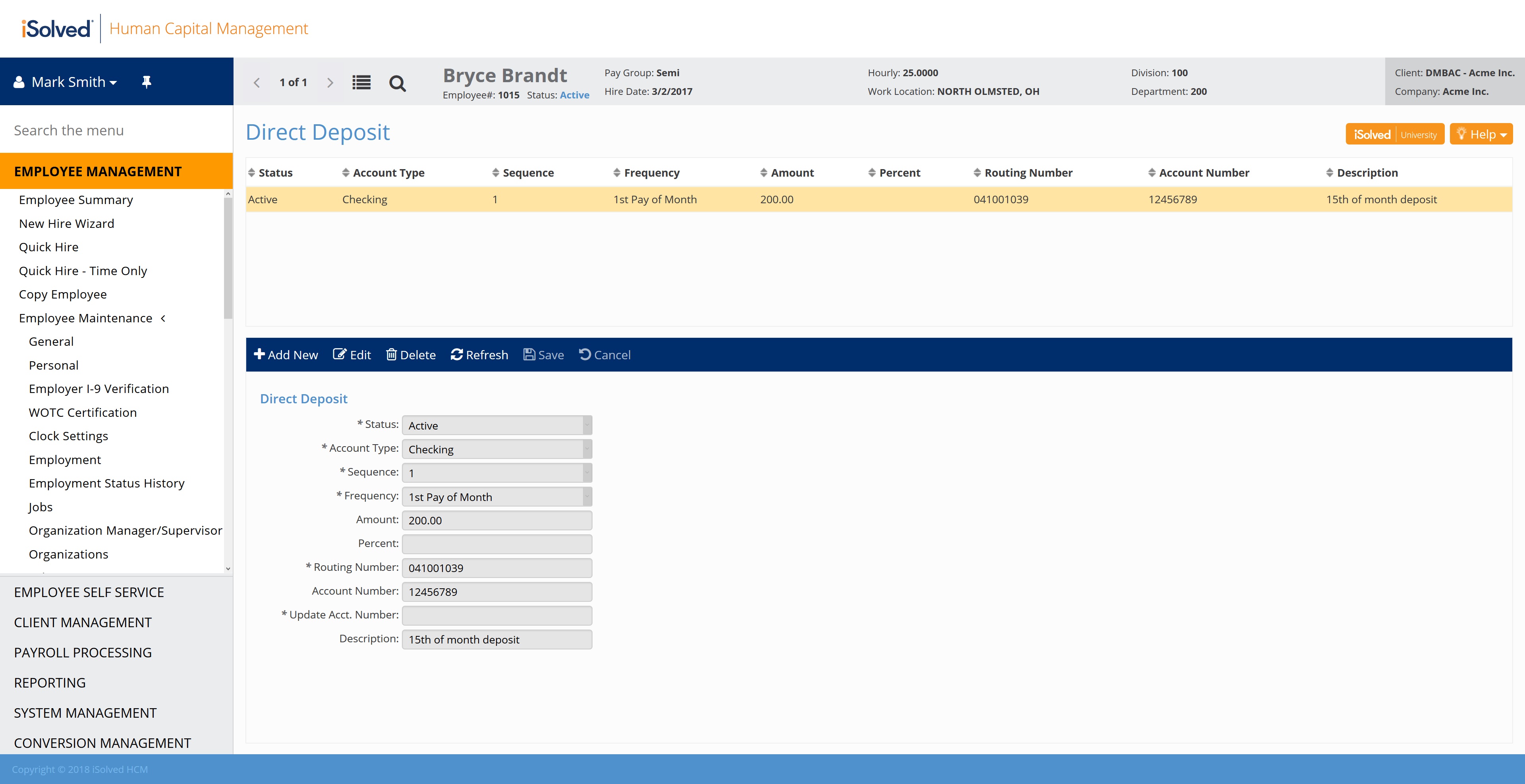
Employees and administrative users can now specify a frequency when entering direct deposit account information. This allows an employee to deposit into a specific account for a specific payroll date. For example, an employee can choose to deposit in one account for their first payroll of the month and another account for their last payroll of the month.
As displayed in the screenshot below, Direct Deposit frequency will also be available in Report Writer, so it can be included on any custom reports that contain employee direct deposit information.
Feature #4: Automatically post gross up checks as manual checks
If you are an employer who pays cash or gives gift cards to employees, you now can create an additional check type that will gross up the net pay amount and automatically post that check as a manual check.
If you select the “Process as Gross Up” check option when adding the additional check type, you will see a new “Automatically post as manual” option. If the user selects that additional check type in time entry, the check will automatically be created as a manual check during payroll preview and process payroll.
This will calculate the taxes, the grossed up original pay amount that will result in the specified net pay, and reflect the checks as manual checks on the Payroll Register and Payroll Summary Reports.