End of Q2 2026 guidance

At the end of each quarter, we ask that you review important payroll and tax information in isolved for accuracy.

All Q2 2026 payroll and tax information must be accurate and complete in isolved by Tuesday, June 30, to ensure timely filing.

Below are the recommended items to review to help you meet all requirements successfully.

Review tax setup information

It is crucial to confirm that your tax setup is accurate and complete. We recommend that you go to Client Reports > Client Profile Report to validate company information:

  • Name (or DBA name) should match the legal company name registered with tax agencies
  • FEIN should match the legal FEIN registered with tax agencies
  • Address should match the legal company address registered with tax agencies

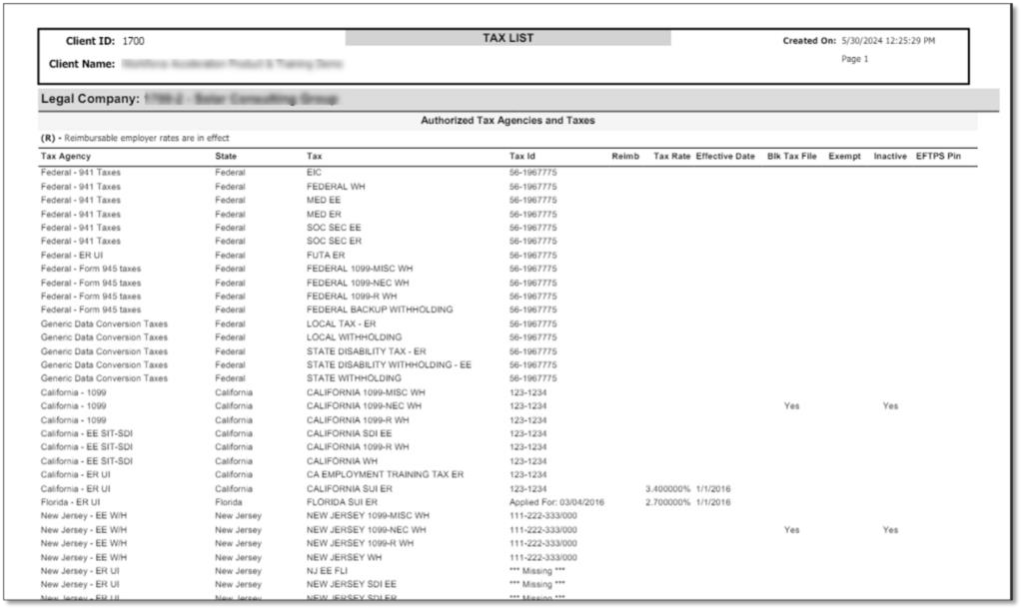
Then, go to Reporting > My Reports and run the Tax List report.
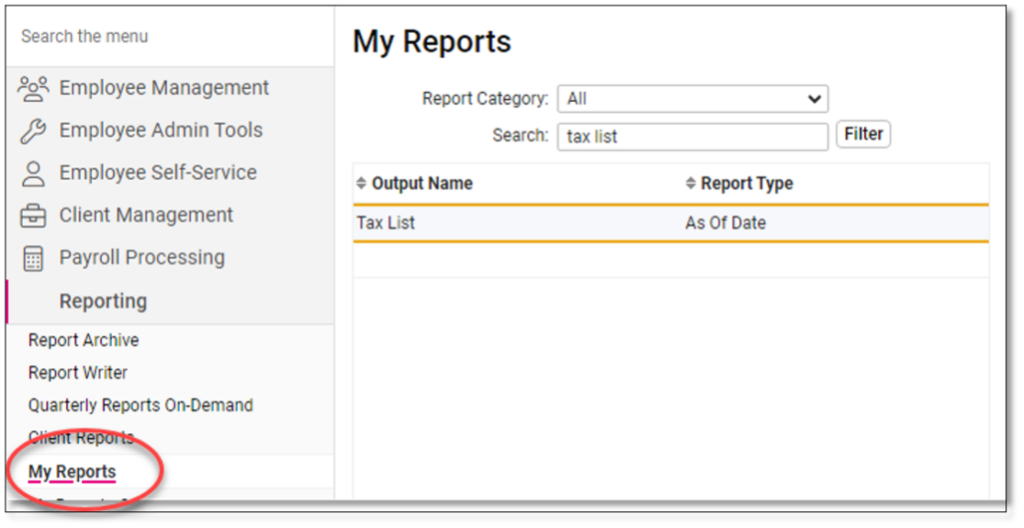
Review the following items:

  • Federal and state tax ID numbers
  • State filing frequencies and rates

Important notes:

Please remember that tax agencies do NOT send any rate or filing frequency notices to Insperity, but they do send this information to you, the employer of record. If you have received these notices or see discrepancies in your isolved setup, please forward all information to your payroll specialist.

You must have a registered ID number with all appropriate state and federal agencies in order to file. Agencies do not accept “Applied For” ID numbers for filing and payments. Submitting your filings with an “Applied For” ID could cause delays and agency penalties and fees.

Review employee identification information

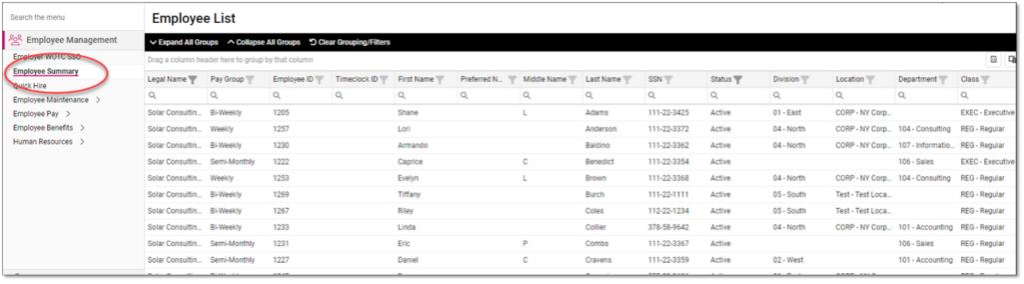
Go to Employee Management > Employee Summary and review employee names and Social Security numbers for accuracy.
Other important tax reminders

  1. Second quarter tax filings will be available on the Return Archive page of the Reporting menu in isolved on August 1, 2026.
  • Pay items that have not been entered in isolved yet AND payroll adjustments that will be reflected on Q2 2026 returns MUST be reported to your payroll specialist by Tuesday, June 30. These items include:
    • In-house checks
    • Voided checks
    • Tax adjustments
    • Third-party sick/disability payments
    • An additional charge will be applied for any Q2 2026 corrections submitted after Tuesday, June 30.

Please contact your dedicated payroll specialist today if you have any questions or concerns.

Important change for Virginia tax online services

Starting August 1, 2026, all Employer Self Service (ESS) users must log in using ID.me, a secure digital identity verification tool with over 152 million registered users nationwide, including 1.9 million verified users in Virginia. 

This change will create:

  • Less hassle with one login for all VEC services.
  • More access with the ability to share secure access with multiple authorized users.
  • Greater security as it confirms users are exactly who they claim to be. 

How to Access ESS with ID.me 

  1. Go to VEC’s Employer Self Service.
  2. Click the green “Sign in with ID.me” button.
  3. Follow the prompts to log in or create your ID.me account. 

If you already have an ID.me account 

  • Log in with your email and password.
  • Before logging in, make sure your ID.me profile is up to date and check your address, phone number and email.
  • Update or manage your account here: ID.me Account Settings.  

If you need to create an ID.me account 

  • You will need a government-issued photo ID (driver’s license or passport and your Social Security Number 
  • Three verification options: 
    • Fastest: Use your phone or computer camera.

Offer your employees electronic tax forms

As we approach year-end, it is important to remember that you can offer your employees the option to receive year-end tax forms electronically.

In iSolved, you can allow employees to opt in for electronic delivery of year-end tax forms, including W-2s, 1099s and 1095s (if using iSolved for ACA compliance). When you activate this feature, iSolved captures employees’ electronic signatures of acceptance to receive year-end forms electronically. For employees who opt in, hard copies of year-end forms will NOT be provided.

How to set up electronic delivery

If you don’t already offer this option to your employees, you can follow these steps to get delivery of electronic tax forms configured in iSolved:

  1. Ask your assigned payroll specialist to activate this feature.
  2. Confirm notification from your payroll specialist that the activation was successful.
  3. Make your employees aware of this option, and encourage them to log in to Employee Self Service to complete their electronic consent.

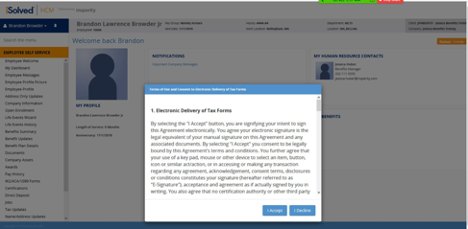
Once you have activated the feature, employees will see a pop-up notification the next time they log into Employee Self Service asking them to provide consent to electronic delivery of year-end forms.

Here’s a sample email communication you can use to notify employees:

SUBJECT: Electronic delivery of year-end tax forms is now available

The next time you log in to iSolved Employee Self Service, a pop-up notification will give you the option of electronic consent to receive year-end tax forms, as well as the option to decline. Please log in to Employee Self Service before Dec. 31, 2020, to choose electronic delivery of year-end forms.

Below is an example of the request your employees will see upon logging into iSolved.

If you do not wish to set this feature up for your company, no action is required.

Upcoming bank holiday and important reminders

Veterans Day on Nov. 11

The Federal Reserve System will be closed on WednesdayNov. 112020, in observance of Veterans Day. If your regularly scheduled pay date occurs on Thursday, Nov. 12, payroll must be posted no later than 3 p.m. CT on Monday, Nov. 9 to meet the required funding deadline for employee direct deposit payments. Insperity offices will be open.

Q2 tax returns available Nov. 1  

Q3 report packages will be available on Nov. 1 and will include all Q3 tax returns filed by Insperity. You can access your quarterly report packages in Return Archive under the Reporting menu in iSolved.

Insperity Recruiting Services support extended

In light of the continuing challenges facing business owners and employees during the COVID-19 pandemic, Insperity is extending special pricing for our recruiting services through Dec. 31, 2020.

All Workforce Acceleration™ and Workforce Administration™ clients utilizing Insperity’s comprehensive traditional payroll and human capital management (HCM) solution will pay a reduced flat-rate fee of $1,000* for all direct-hire requisitions for requisitions placed on or before Dec. 31, 2020.

Access additional information in the September Hub article here.

*Clients will pay a flat fee of $1,000 for each requisition and payment, due on the Hire Date. A Service Activation Agreement will be required to begin an engagement.

Important updates and reminders

Business disruptions during the pandemic have demanded so many business decisions in such a short amount of time that it’s easy to let things slip through the cracks. We’re here to help with a couple of reminders about services available to you.

Q2 tax returns available Aug. 1  

Q2 report packages will be made available on Aug. 1, 2020 and will include all second-quarter tax returns that were filed by Insperity. You can access your quarterly report packages in Return Archive under the Reporting menu in iSolved.

Insperity Recruiting Services support has been extended

Insperity Recruiting Services has extended the support communicated in the May edition of the Hub here.  This support includes fee-inclusive and flat-rate options for recruiting services. All Workforce Acceleration and Workforce Administration clients pay a flat rate of $1,000 for each direct hire requisition.  The entire fee is due at placement. Clients pay outside vendor costs, such as advertising, assessments and background checks.  A Service Activation Agreement will be required to begin an engagement. Reach out to your customer success specialist if you are interested in this offer.

Recruiting information does not pertain to Workforce Optimization and Workforce Synchronization customers.

Updates and reminders to improve efficiency

We’re enhancing the way we communicate with you.

What has changed?

Phone calls will be monitored and recorded for quality assurance and other business.

  • If your dedicated HCM payroll specialist is unavailable, you have the option to speak to the next available specialist.

What will remain the same?

  • You will continue to dial  your dedicated HCM payroll specialist directly.
  • You will continue to have the option to leave your HCM specialist a voicemail message.

Washington State Paid Family & Medical Leave reporting deadline extension

The Washington State Paid Family and Medical Leave reporting timeline for Q1 has been extended to July 2019. This information is from the Washington State Employment Security Department.

  • Beginning July 1, employers will submit both Q1 and Q2 reports and premium payments through the Washington State Employment Security Department‘s online customer management system.
  • This timeline extension will not affect the availability of benefits. Eligible employees can begin applying for benefits in January 2020.

If you have questions, reach out to your Insperity payroll specialist, or click here for reporting timeline FAQs.

New iSolved feature to improve operations

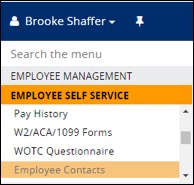
Included in iSolved’s most recent product release is a feature that allows the Employee Contacts page to be completed in a much more convenient manner. The page is now split into three screens for each of the following categories: emergency contacts, beneficiaries and dependents. When users create a contact on one of the screens, the information will auto-populate to become an option that can be used on either of the other screens. This means there is no longer the need to duplicate entries for the same contact information.

Navigate to Employee Self Service >> Employee Contacts to access the new changes (see screenshot below).

Picture1